Creating an online crossword is a balance between ideas and technical grid work. That's why we introduced Auto-fit in the Knowie creator - a feature that automatically fits the entry to the board. In practice: enter the question and answer in the input, confirm, and you're done.
Auto-fit in the crossword creator - what changed?
Until now, the most time-consuming part was manually fitting words into the grid. Now the creator does it for you. Auto-fit automatically places the entry on the board, saving clicks and speeding up crossword creation, especially larger ones.
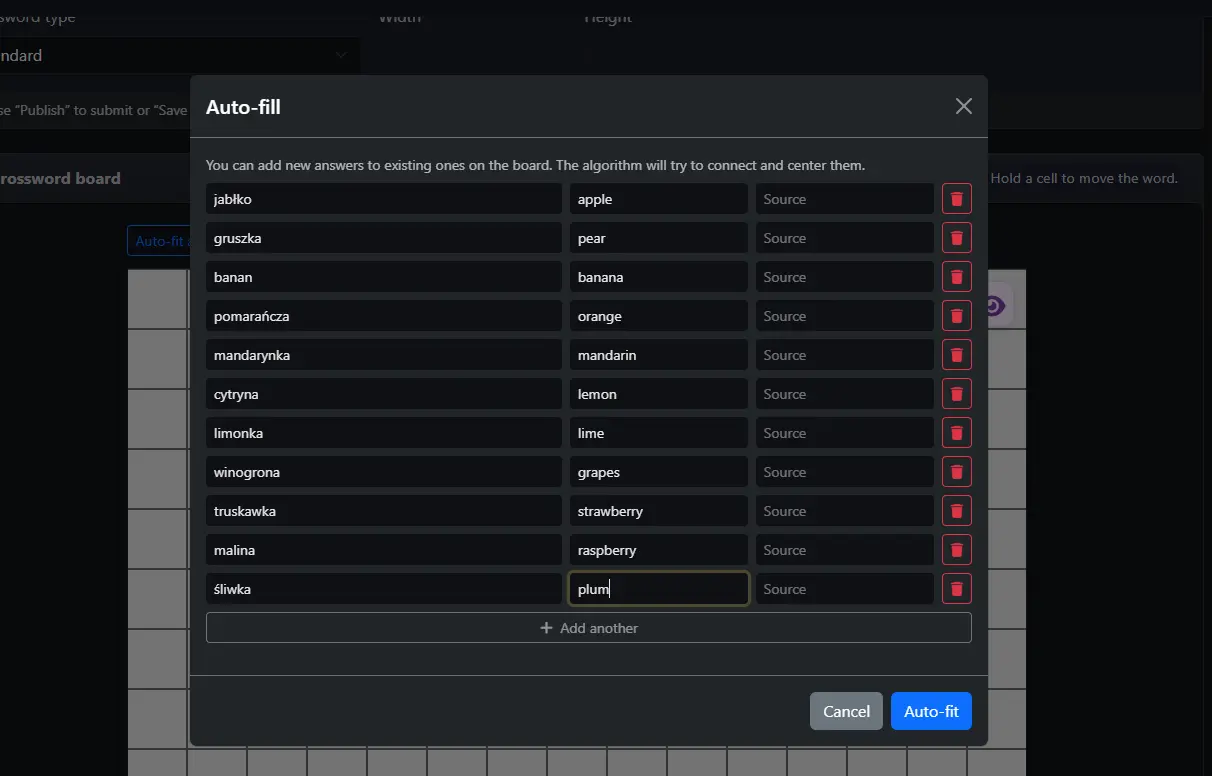 Auto-fit field - enter the question and answer in one place.
How Auto-fit works step by step
- Open the crossword creator and go to adding a clue.
- Enter the question and answer in the Auto-fit input.
- Confirm the entry.
- The creator automatically places the answer on the grid.
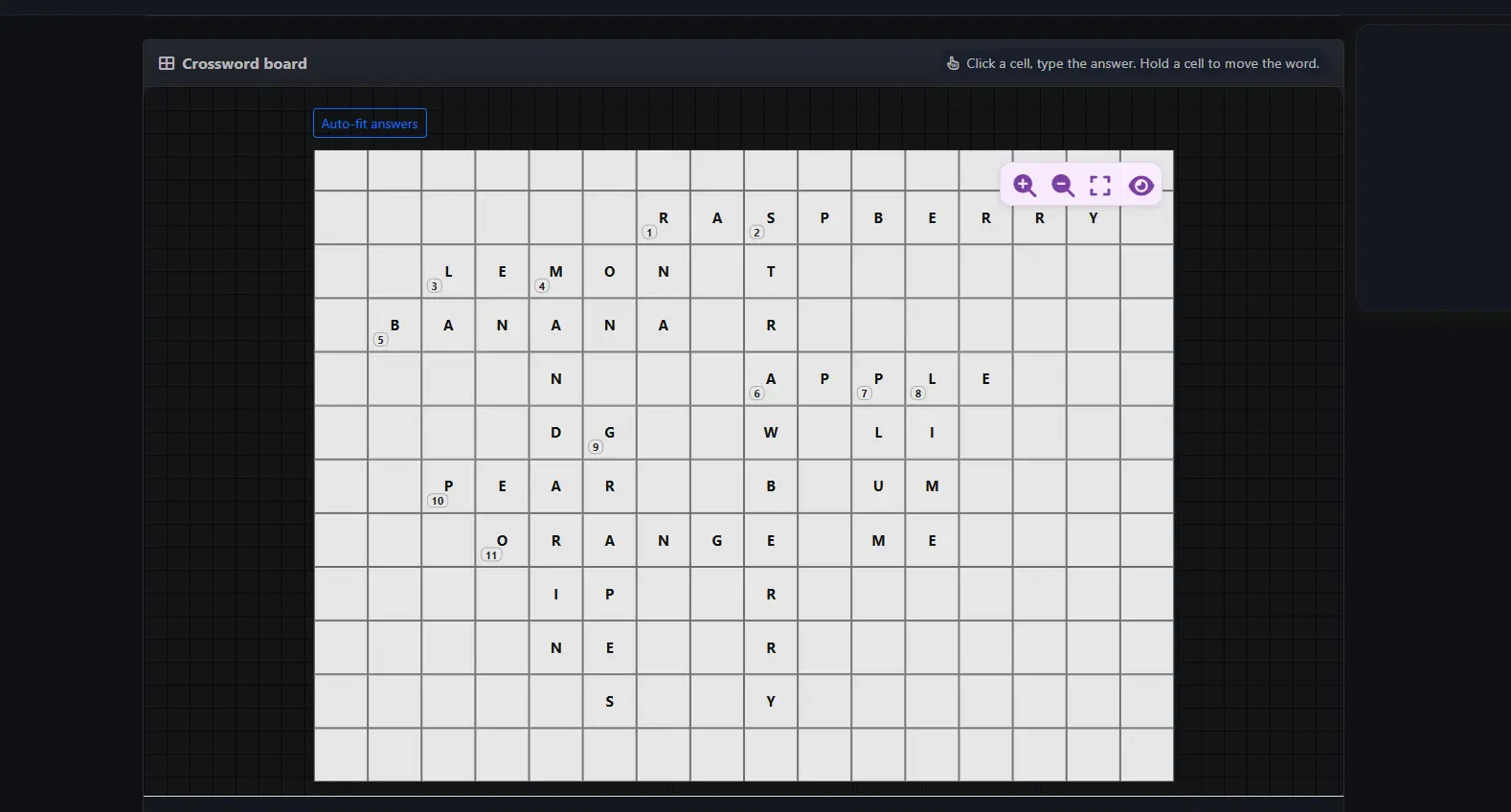 After confirming, the entry lands on the grid automatically.
What do you gain as an online crossword creator?
- Faster crossword creation without manual dragging and clicking.
- Fewer mistakes when placing entries on the grid.
- Smoother workflow, especially for large projects.
- More time for question quality and topic consistency.
Auto-fit does not block manual editing
Auto-fit is a speed tool, not a limitation. After automatic placement you can still:
- Add questions and answers manually.
- Move existing entries.
- Change word orientations.
What's more, after the first auto placement you can add more entries in Auto-fit mode, and the creator will connect them with the existing grid. You also do not have to start with Auto-fit - you can lay out a few entries manually and use auto placement later.
Best practices to maximize Auto-fit
- Start with key, thematic entries to build the grid core faster.
- Watch your spelling - Auto-fit inserts exactly what you type.
- If an entry is unusual or hard, add a source to make verification easier.
Summary
Auto-fit in the Knowie crossword creator is a real speed-up: less mechanical placement, more room for creativity. If you build online crosswords, this is a feature that makes an immediate difference.