Viewer interaction is the heart of modern livestreaming. Every creator is looking for ways to engage their community and spice up their broadcasts. Today, we'll take a closer look at a tool that perfectly fits these needs: Streamer Mode on Knowie.net. If you are looking for a chat game that turns your viewers into active players, you've come to the right place.
What Exactly is Streamer Mode?
It's an advanced integration module that allows you to "connect" the chat from platforms like Twitch, YouTube, or Kick directly with the game mechanics on Knowie.net. This isn't just a browser game – it's an interactive game show where the streamer becomes the host, and the audience solves puzzles together. Instead of passively watching, your chat has a real impact on the gameplay, guessing answers in real-time.
How to Enter the Game?
Accessing the mode is incredibly simple from the main page. Just click the "Streamer Mode" button in the dashboard to be taken to the dedicated panel.
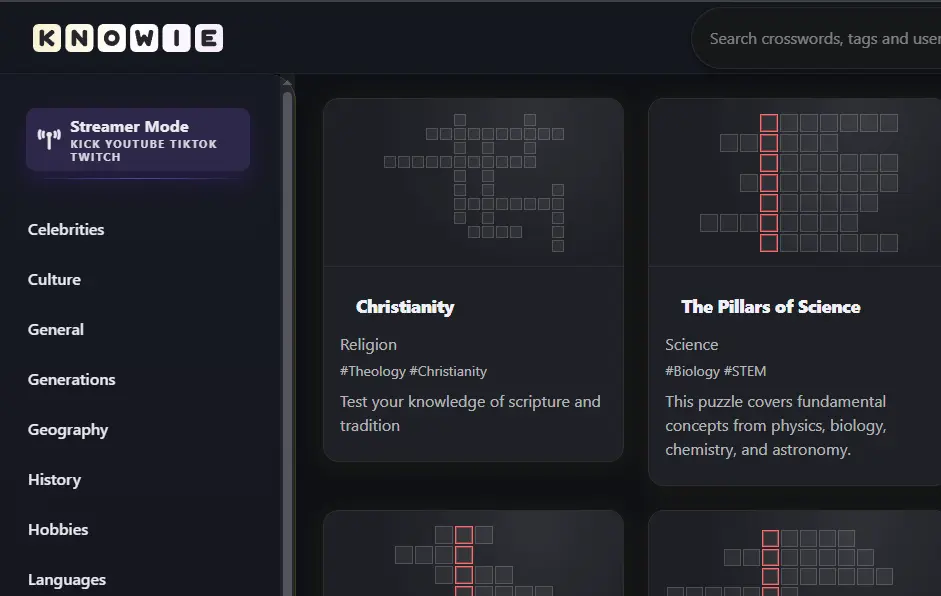 Convenient access to the mode directly from the home page.
Connection Mechanics: Secure Chat Integration
The entire process is designed to be as lightweight as possible for the streamer and safe for their account. We respect your security – the system does not require logging in through external services or providing tokens or channel passwords. Just enter your channel name, and our bot will handle the rest.
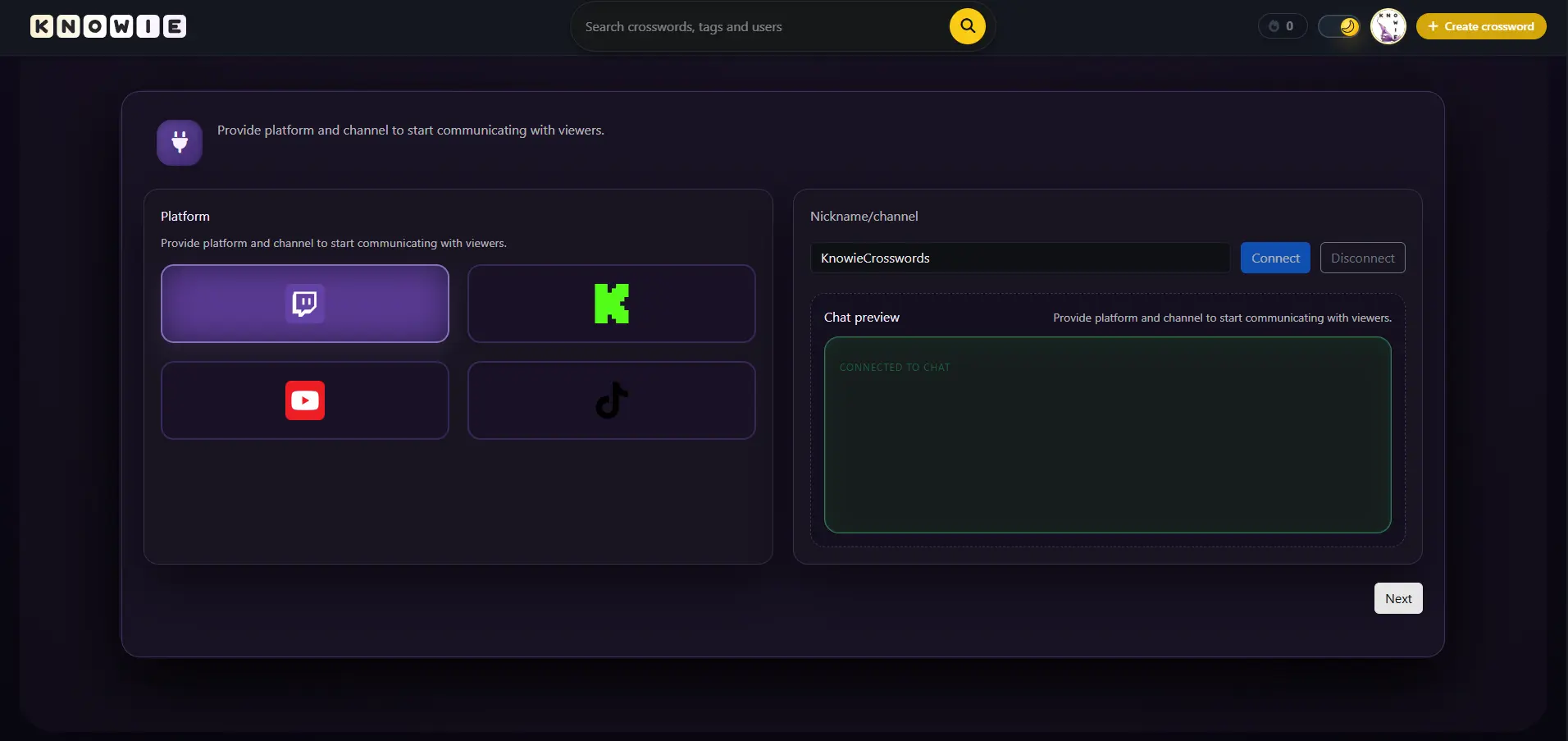 Simple panel for platform selection and channel name. We support Twitch, YouTube, Kick, and TikTok.
Our algorithms listen to messages appearing in the chat in real-time. When the system detects that a viewer has provided the correct answer matching the currently selected field in the crossword, it automatically fills it into the board and awards points to the message author. It's the perfect word game for streams that doesn't require viewers to install anything – they just type in the chat!
Important: Integration with Kick now works natively, without the need to install any additional browser extensions!
From Categories to Shared Victory
Gameplay personalization allows you to tailor the crossword theme to your specific channel's profile. Whether you run a gaming, lifestyle, or educational channel, you'll find something for yourself. Themed quizzes are a great way to test your community's knowledge.
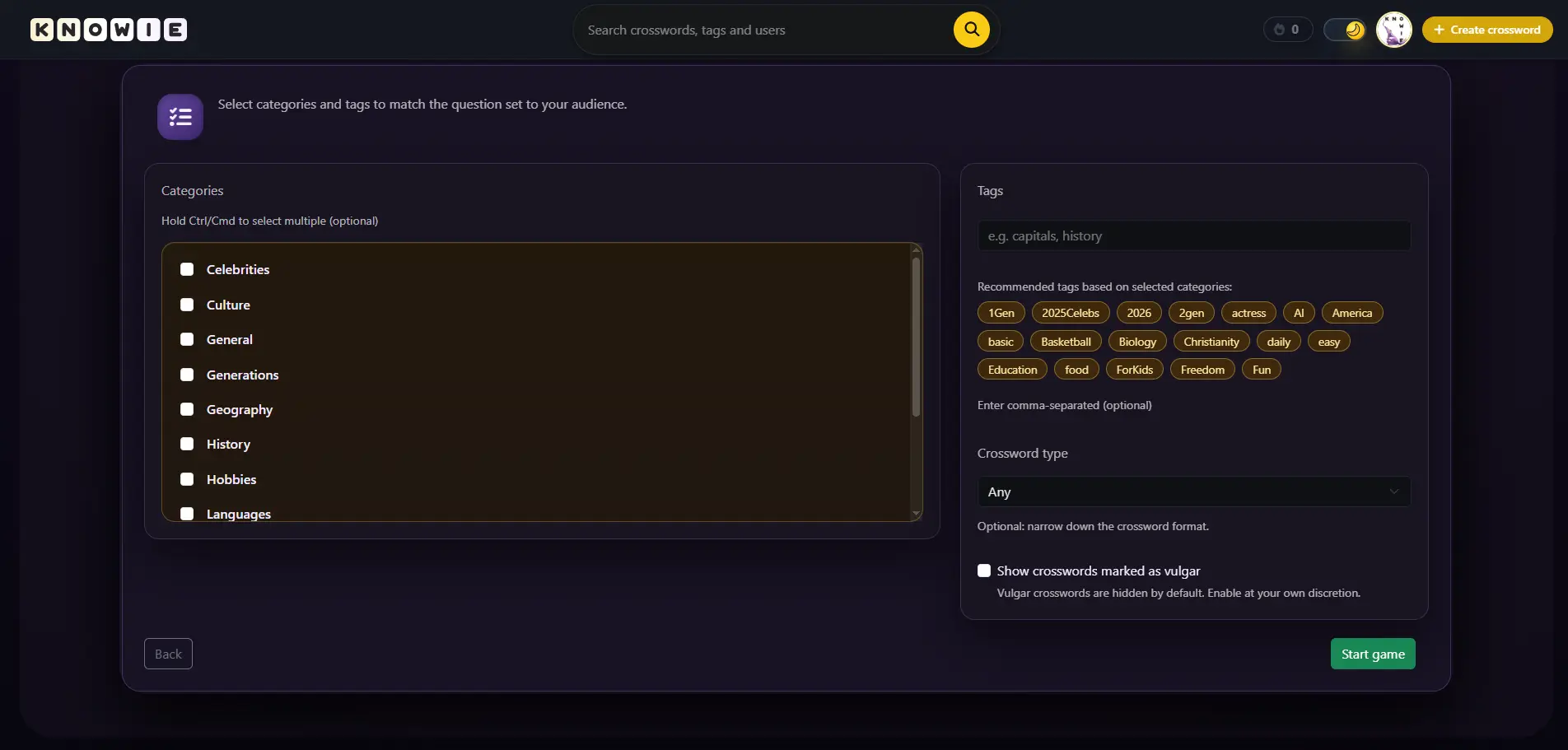 Filtering tags and adjusting difficulty level. You can choose categories like Games, Movies, Geography, and many others.
Gameplay in Practice – Your Command Center
During the game itself, the system takes care of everything: automatically switching rounds, displaying the scoreboard, and managing time. This allows the streamer to focus on what matters most – talking to viewers, commenting on fails, and building excitement. It's a ready-made idea for a "Just Chatting" segment or a break during another game.
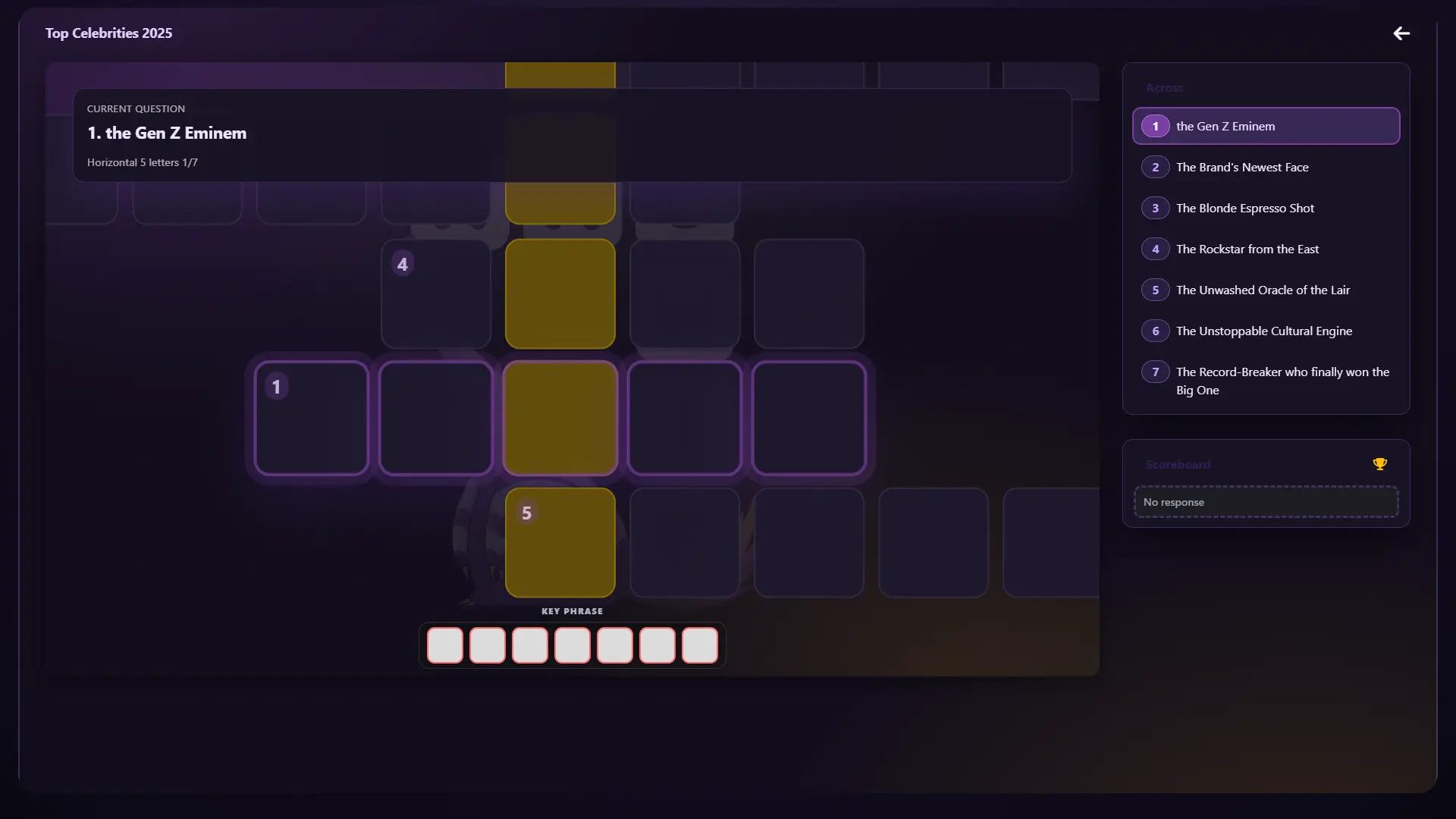 This is how the game looks in action. Visible ranking of the best players from the chat and the crossword currently being solved.
How to Get Access? (Streamer Rank)
Streamer Mode is a premium tool that we are constantly developing. To maintain high server quality and support active creators, access to this mode is granted manually by assigning a special Streamer Rank.
If you are a creator and want to spice up your streams with this community game, contact us:
- Email: Write to us at [email protected]
- Social Media: Send a private message on our Instagram.
After a brief verification of your channel, the feature will be unlocked on your profile.
Why Implement This on Your Channel?
- Boost Engagement: Viewers don't just watch; they genuinely play along with you. It's a proven way to liven up the chat.
- Automation: Zero manual typing of answers – the system does it for you in milliseconds.
- Gamification: The built-in ranking allows you to identify the sharpest viewers and introduces an element of healthy competition.
- Perfect Time Filler: Great for starting a stream (warm-up) or for a chill ending.
Want to see Streamer Mode in action? Contact us and join the group of creators who are already engaging their community on Knowie.net!